
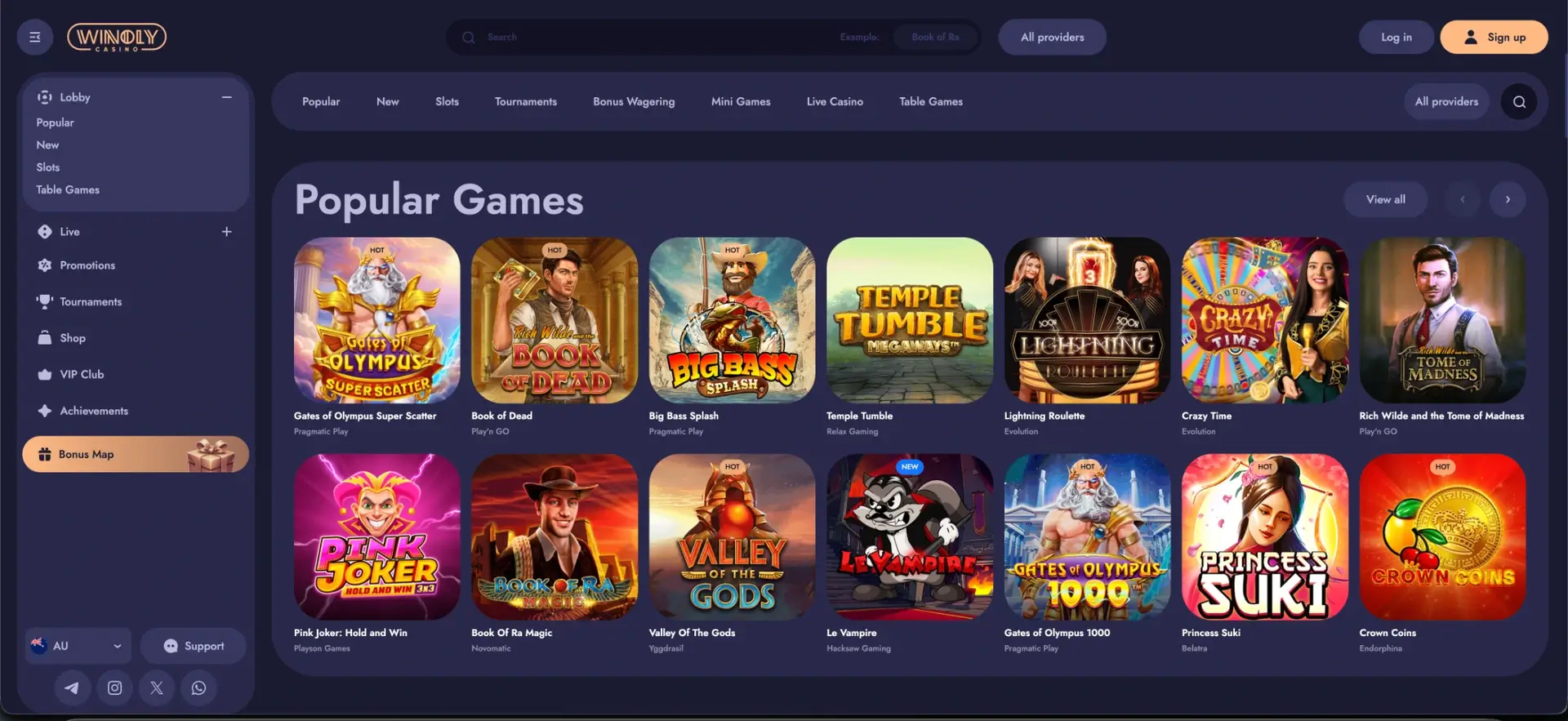
There is no native Winoly app to download for Android or iOS - the menu and footer contain no app links, and the casino is built to run in the mobile browser instead. The mobile site gives access to the full lobby, the AUD cashier, all promotions and the VIP Club with the same account used on desktop. For app-like access, the site can be added to the home screen of an iPhone or Android phone, where it opens with one tap like a regular app.
The browser version removes the usual app drawbacks: no installation files, no storage space and no manual updates. This guide explains how to open Winoly on a phone, how to create the home screen shortcut, what works on mobile and how payments and verification are handled from a phone.
| Feature | Mobile browser details |
|---|---|
| Download required | No - runs entirely in the browser |
| iOS access | Safari, Chrome or Firefox |
| Android access | Chrome, Firefox, Samsung Internet or another modern browser |
| Home screen shortcut | Available on iOS and Android |
| Game catalogue | Same as desktop - slots, live casino, table and mini games |
| AUD deposits and withdrawals | Full cashier on mobile |
| Bonus access | Welcome pack, reloads, cashback, Shop, tournaments |
| Live casino | Evolution, Pragmatic Live and ICONIC21 tables stream on mobile |
| Login | Username or email, or Google |
| Security | Encrypted HTTPS - same as desktop |
| Updates | Automatic - no manual updates |
Is there a Winoly casino app for Android or iOS?
No. Winoly does not offer a downloadable app, and its menu and footer do not link to an App Store, Google Play or APK file. Any file presented online as an official "Winoly APK" should be avoided, since it does not come from the casino. The official way to play on a phone is the Winoly website in a mobile browser.
The mobile site is the same platform as desktop, adapted to small screens. The account, balance, active bonuses, VIP level and Shop coins are shared between devices, so a session can start on a laptop and continue on a phone.
How to access Winoly on mobile
Opening the casino on a phone takes less than a minute.
- Open Safari, Chrome or another browser on the phone.
- Go to the Winoly website and make sure the AU region is selected (the selector sits at the bottom of the menu).
- Tap Log in or Sign up at the top of the screen.
- Sign in with username or email and password, or with Google.
- Open the menu button in the top-left corner to reach the lobby, live casino, promotions and the rest of the site.
How to add Winoly to the home screen
A home screen shortcut gives the closest experience to a native app. It opens Winoly directly and protects against mistyped addresses and look-alike sites.
iOS instructions (Safari)
On iPhone and iPad, the shortcut is created through the Share menu in Safari.
- Open the Winoly website in Safari.
- Tap the Share icon (the square with an arrow pointing up).
- Scroll down and tap Add to Home Screen.
- Keep the name "Winoly" or change it, then tap Add.
- The Winoly icon appears on the home screen and opens the casino directly.
Android instructions (Chrome)
On Android, the shortcut is created through the Chrome menu.
- Open the Winoly website in Chrome.
- Tap the three-dot menu in the top-right corner.
- Choose Add to Home screen.
- Confirm the name and tap Add.
- Use the new icon to open Winoly with one tap.
Features available in the Winoly mobile version
The mobile version keeps every section of the desktop site. Navigation moves into a fold-out menu, while search, login and registration stay at the top of the screen.
- Lobby: Popular, New, Slots and Table Games, plus the Bonus Wagering and Mini Games tabs.
- Live: Top Live, Game Shows, Roulette, Blackjack, Baccarat and VIP tables.
- Search: by game or provider, with the All, Games and Providers tabs.
- Promotions: the four welcome stages, reloads and cashback offers with their terms.
- Tournaments: network events with the Participate button.
- Shop and Achievements: coin balance, free spin packages and tasks.
- VIP Club: tier, level and level-up rewards.
- Support: the Support button and links to Telegram, Instagram, X and WhatsApp.
Winoly performance on mobile
Because the site loads in the browser, speed depends mainly on the phone and the connection rather than on an app build.
- Lobby: game tiles load progressively, so the grid becomes usable before all images appear.
- Slots: Pragmatic Play, Hacksaw Gaming, Play'n GO and other HTML5 pokies run without plugins and adapt to portrait or landscape.
- Live casino: Evolution and Pragmatic Live streams adjust quality to the connection, keeping tables playable on 4G.
- Cashier: deposit and withdrawal forms are built for touch screens; card payments confirm in the banking app.
Mobile payments and withdrawals in AUD
The full cashier is available on a phone, with the same methods as on desktop. Limits for each method are shown in the cashier next to the method.
| Method | Deposit on mobile | Mobile tip |
|---|---|---|
| Visa / Mastercard | Instant | Confirm the payment in the banking app |
| MiFinity | Instant | Keep the MiFinity app logged in for fast approval |
| Bitcoin, Ethereum, Litecoin | After network confirmations | Copy the address from the cashier into the wallet app |
| XRP | Usually within seconds | Copy the destination tag as well |
| USDT | After network confirmations | Use the same network as shown in the cashier |
| Bank transfer | Slower | Use the banking app with the reference provided |
Withdrawals are requested from the same cashier. Crypto and MiFinity are the fastest payout options, while cards and bank transfers take several business days.
Security on the Winoly mobile version
The mobile site uses the same encrypted HTTPS connection as desktop. Players registered through Google can sign in with the Google account already on the phone, which brings Google 2-Step Verification into the login. Verification documents - ID, proof of address and proof of payment method - can be photographed and uploaded straight from the phone, which is often quicker than scanning them on a computer.
Usage tips for players in Australia
A few settings make Winoly more convenient on a phone.
- Add the home screen shortcut and open the casino only from it.
- Use Wi-Fi or stable 4G/5G for live tables to avoid stream drops.
- Keep the browser updated; older versions can break the cashier or games.
- Upload KYC documents from the phone camera right after registering.
- Turn on bank app notifications to confirm card deposits quickly.
- Contact support to set deposit limits if the phone makes topping up too easy.
Winoly app FAQ
Answers to the common questions about playing Winoly on a phone.
Can the Winoly app be downloaded?
No. Winoly has no native app for Android or iOS; the casino runs in the mobile browser.
Is there a Winoly APK for Android?
The casino does not provide an APK. Files offered under that name elsewhere are not official.
How to add Winoly to the home screen?
Use "Add to Home Screen" in Safari's Share menu on iPhone or in Chrome's three-dot menu on Android.
Does the Winoly bonus work on mobile?
Yes. The 330% welcome pack up to AUD 2,565 + 370 FS, reloads and cashback are all available on mobile.
Does Winoly live casino work on a phone?
Yes. Evolution, Pragmatic Live and ICONIC21 tables, including Crazy Time and Lightning Roulette, stream in mobile browsers.
Are withdrawals available on the Winoly mobile site?
Yes. The full AUD cashier works on mobile, and withdrawals require completed verification.
Is the Winoly account the same on mobile and desktop?
Yes. Balance, bonuses, VIP level and Shop coins are shared across all devices.
Updated 20 October 2026.